 Bless Ring
How do I activate and pair my Bless Ring with my phone?

Bless Ring Support
15 May 2026 18:40 Updated
Use this guide to activate your Bless Ring, install the companion app, and pair the ring with your phone.
1. Unbox & Activate
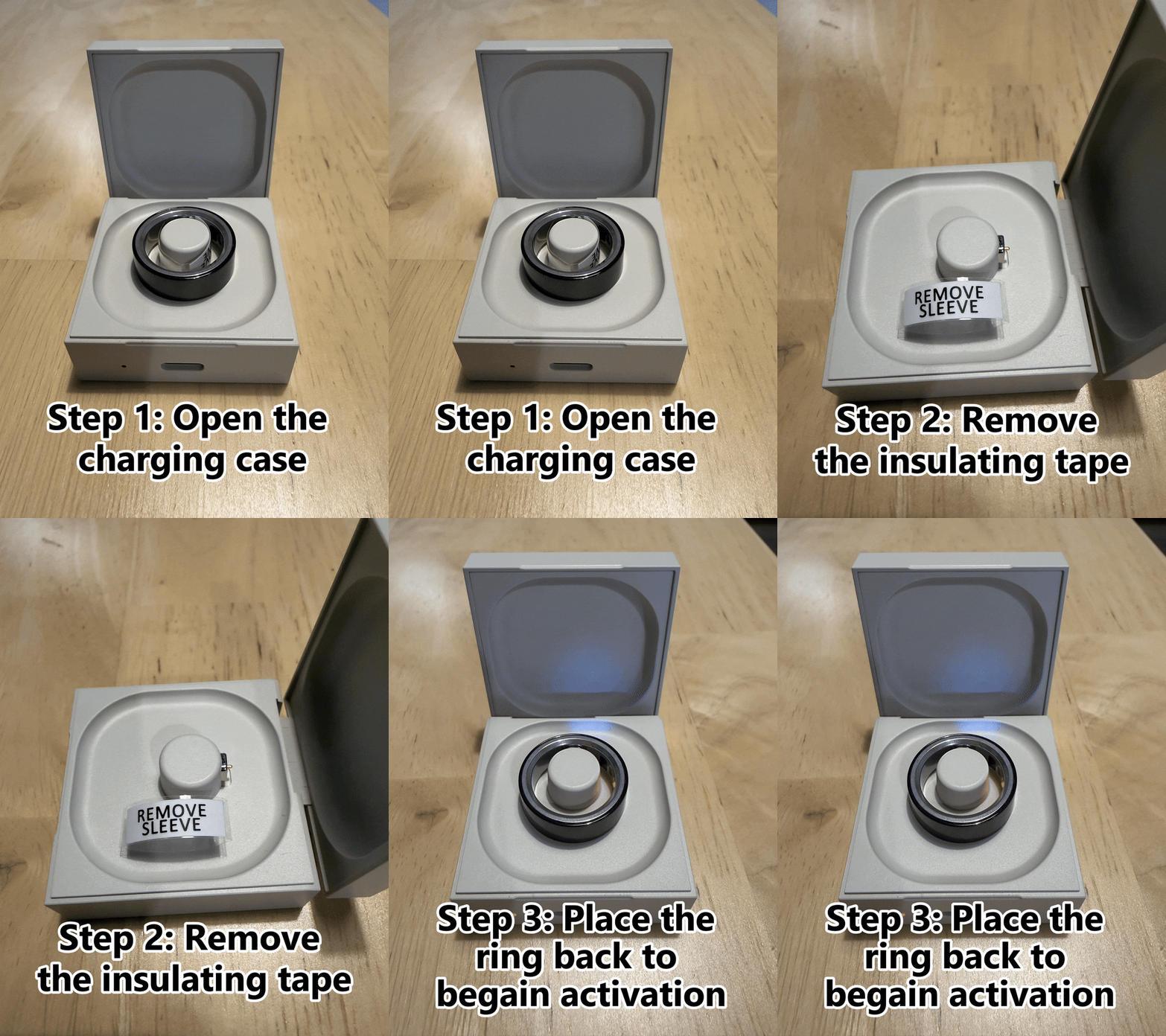
Open the charging case and remove the insulating tape from the ring.
Place the ring back into the charging case to begin activation and charging.
Charging Indicators: Your ring is charging and ready for setup when you see:
- White breathing light on the ring.
- Red light inside the ring.
- Red light on the charging case.
Not Charging?
If the indicator lights do not appear, charge the case using the included USB Type-C cable.
2. Download the App
Download the Bless Ring companion app to connect your ring and start setup.
- Turn on Bluetooth.
- Open the Bless Ring app.
- Log in or create your account.
3. Pair Your Ring
Keep the ring close to your phone, then follow the in-app setup instructions to connect the ring via Bluetooth.
- Make sure your phone's Bluetooth is turned on.
- Keep the ring in or near the charging case during pairing.
- When pairing is complete, the ring will appear as connected in the Bless Ring app.
If you have any questions, please reach out to support@blessring.us.