 Bless Ring
Quick Start Your Ring

Bless Ring Support
15 May 2026 18:40 Updated
Your guide to getting started in minutes.
1. Unbox & Activate
Open the charging case and remove the insulating tape from the ring.
Place the ring back into the charging case to begin activation and charging.
Charging Indicators: Your ring is charging and ready for setup when you see:
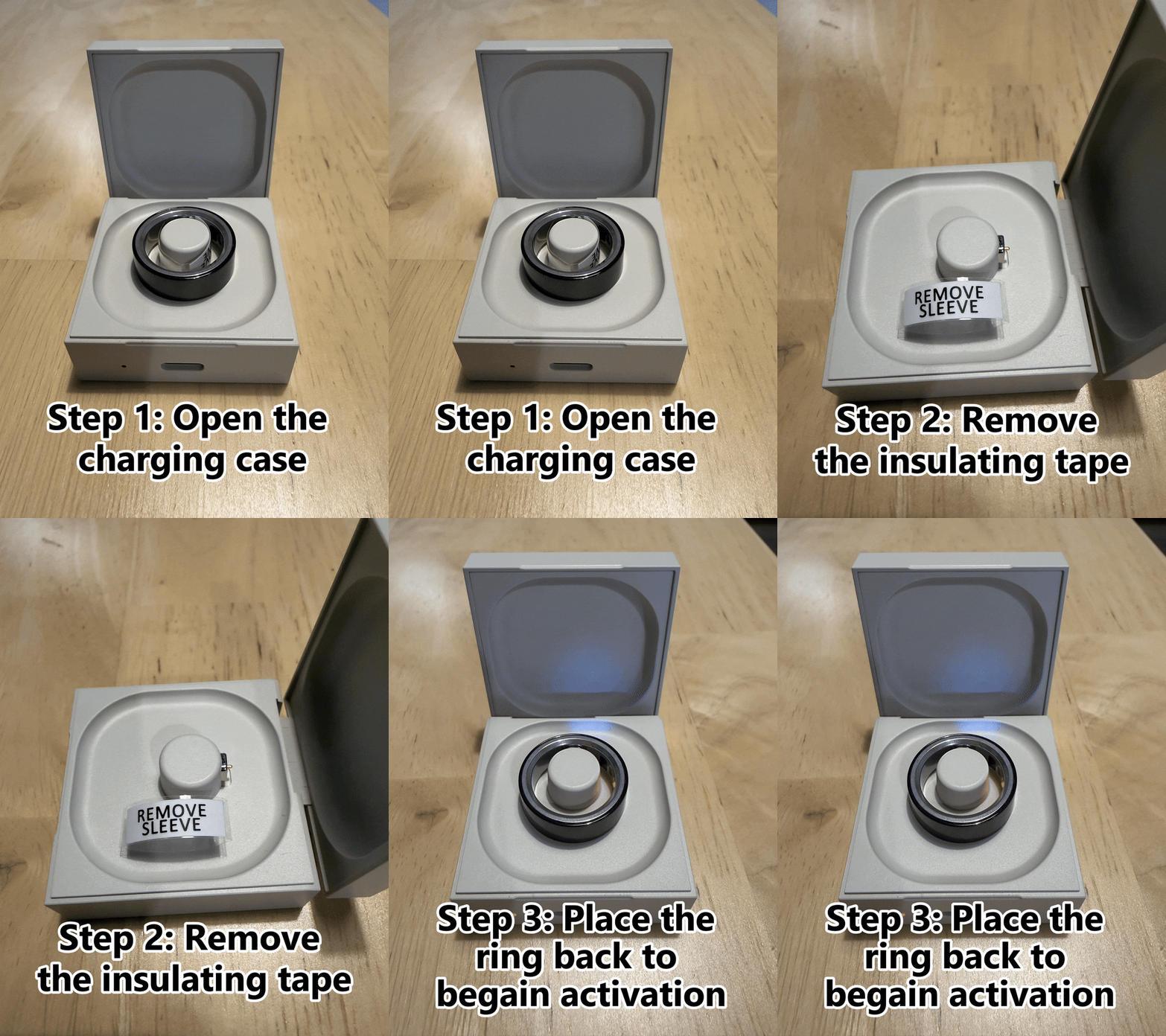
- White breathing light on the ring.
- Red light inside the ring.
- Red light on the charging case.
Not Charging?
If the indicator lights do not appear, charge the case using the included USB Type-C cable.
2. Download the App
Download the Bless Ring companion app to connect your ring and start using all features.
After installing the app:
- Turn on Bluetooth.
- Open the Bless Ring app.
- Follow the in-app setup instructions.
- Pair your ring in seconds.
3. Connection & Proper Wearing
Open the App, log in, and follow the on-screen instructions to connect the ring via Bluetooth.
Wearing Guidelines:
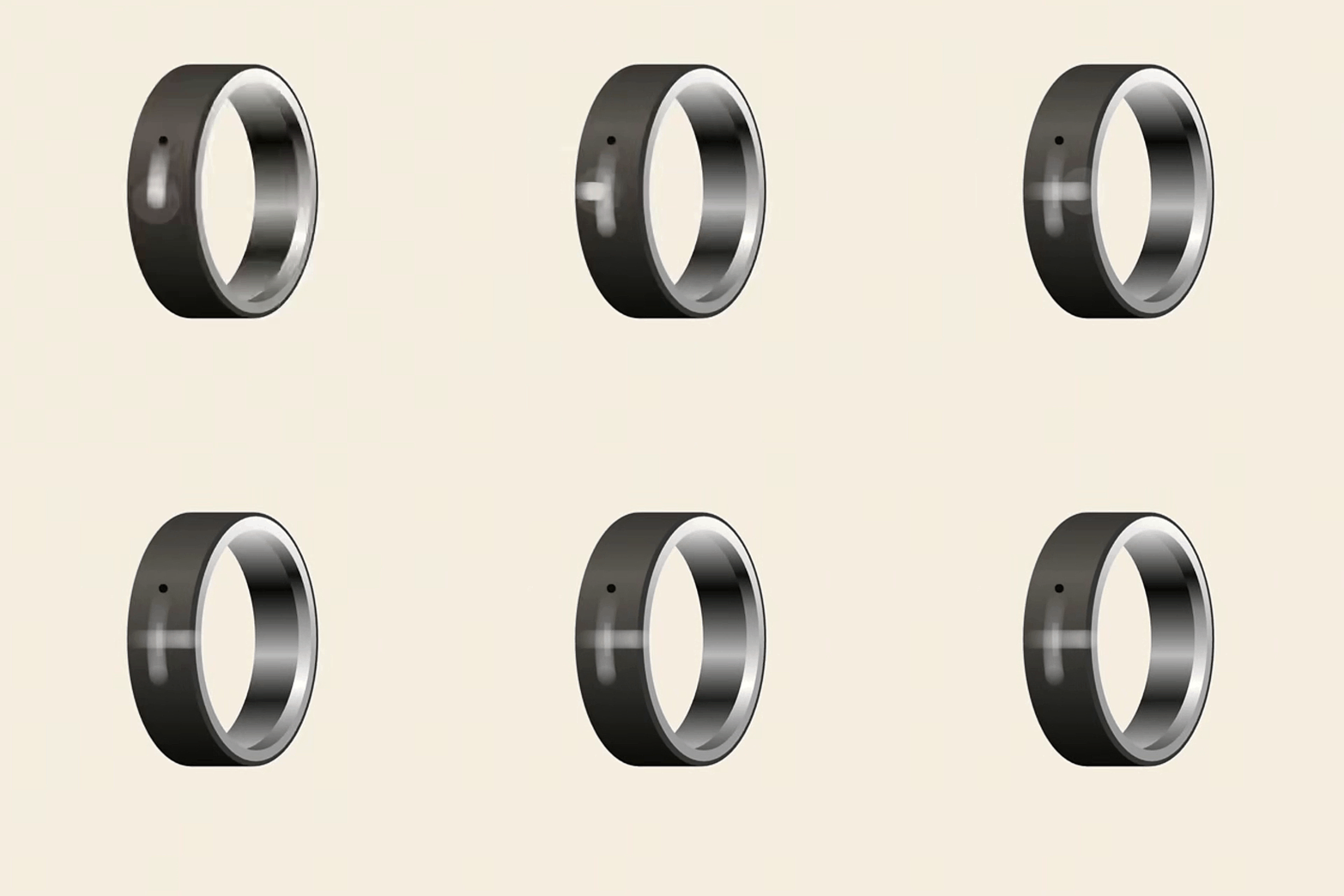
- Locate the touch area: Find the small vertical line on the outer side of the ring.
- Wearing position: Wear the ring on your index finger.
- Alignment: Ensure the touch area faces your thumb for easy swipe operations.
How to Use
Start & Stop Recording
Using your thumb, swipe across the touch area: Swipe quickly from top to bottom, then from left to right to turn the recording on or off.
Status Feedback: Upon successful operation, the ring will emit a slight vibration, and the recording indicator light will turn on.
Note
When the ring's recording memory is almost full, it will be indicated by a flashing white light.
Battery & Syncing
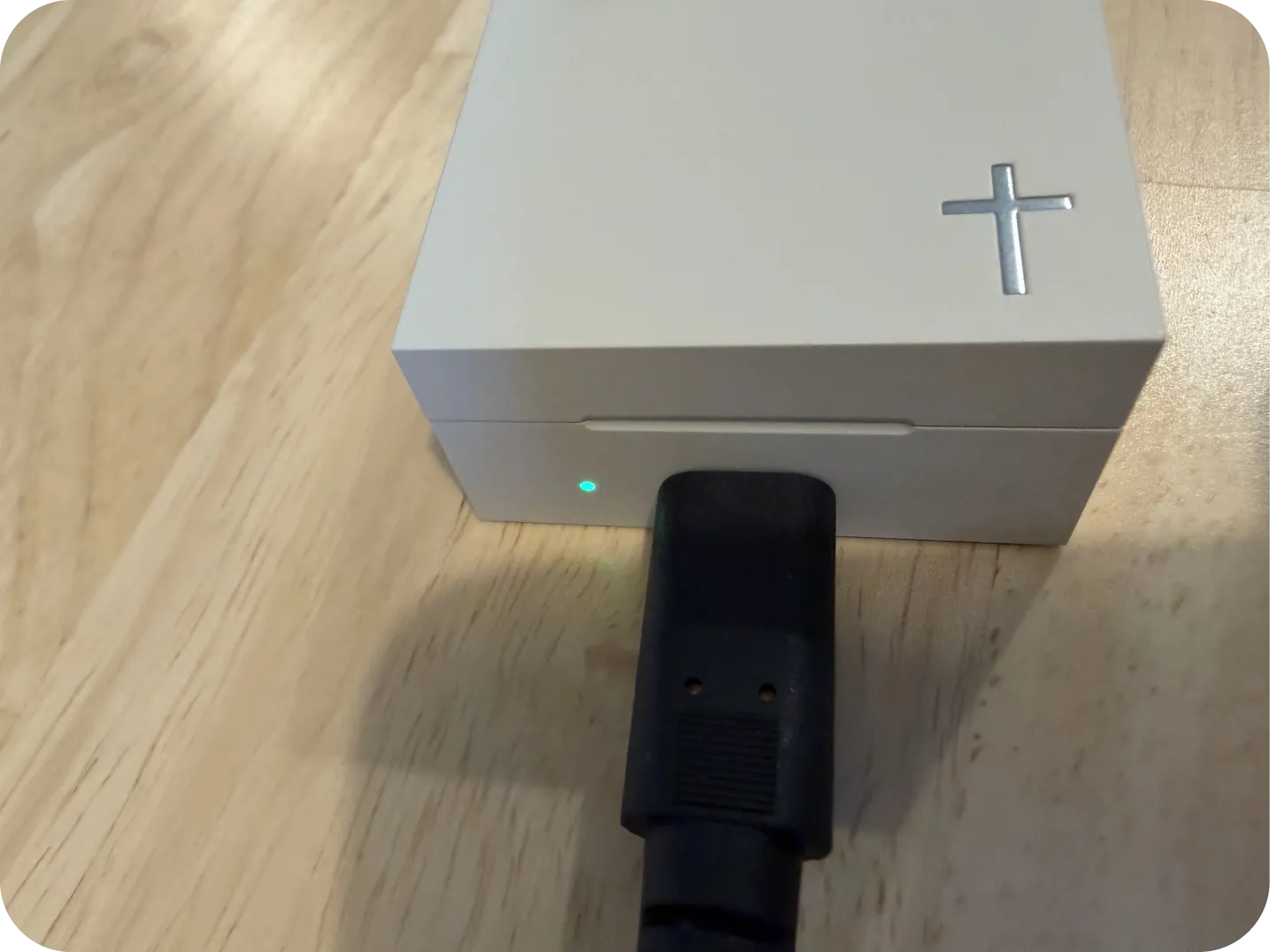
- Auto-sync when connected to app.
- ~1 hour offline storage if disconnected.
- ~3 days battery life with typical use.
Need Help?
Get personalized support, troubleshoot issues, or learn more about your Bless Ring.
If you have any questions, please reach out to support@blessring.us.